
FAQs
How to install / download Castle?
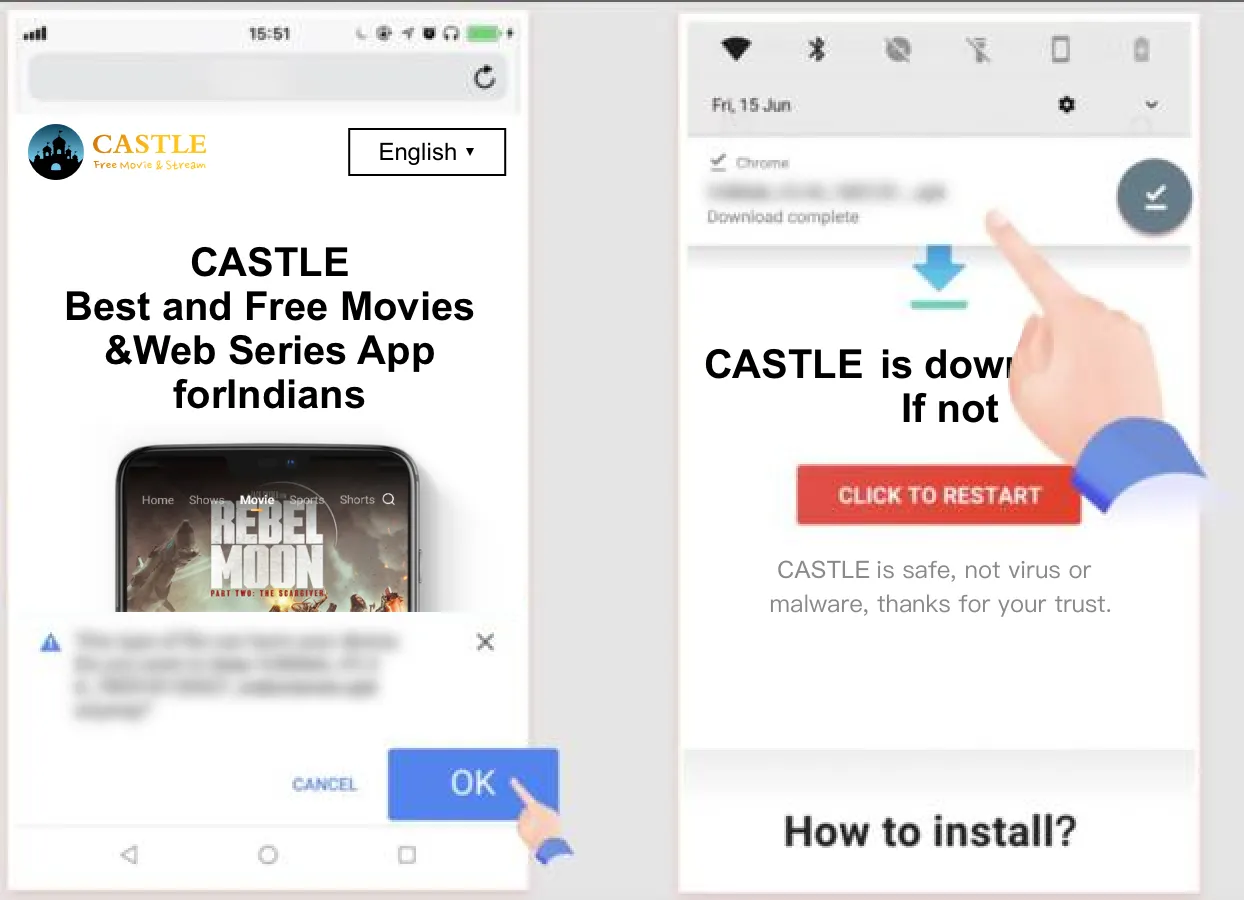
It is easy to download CastleApp on Android as it is exclusively built for such platforms. All you have to do is to follow the below steps:
1.Use the system browser to download the CastleAPK file on your Android device from the website: www.castlegowatch.com You can directly click the download button on the page.
2.Check the downloads folder in your device to locate the APK file. This might be a different location depending on where you have set the downloads destination to be.
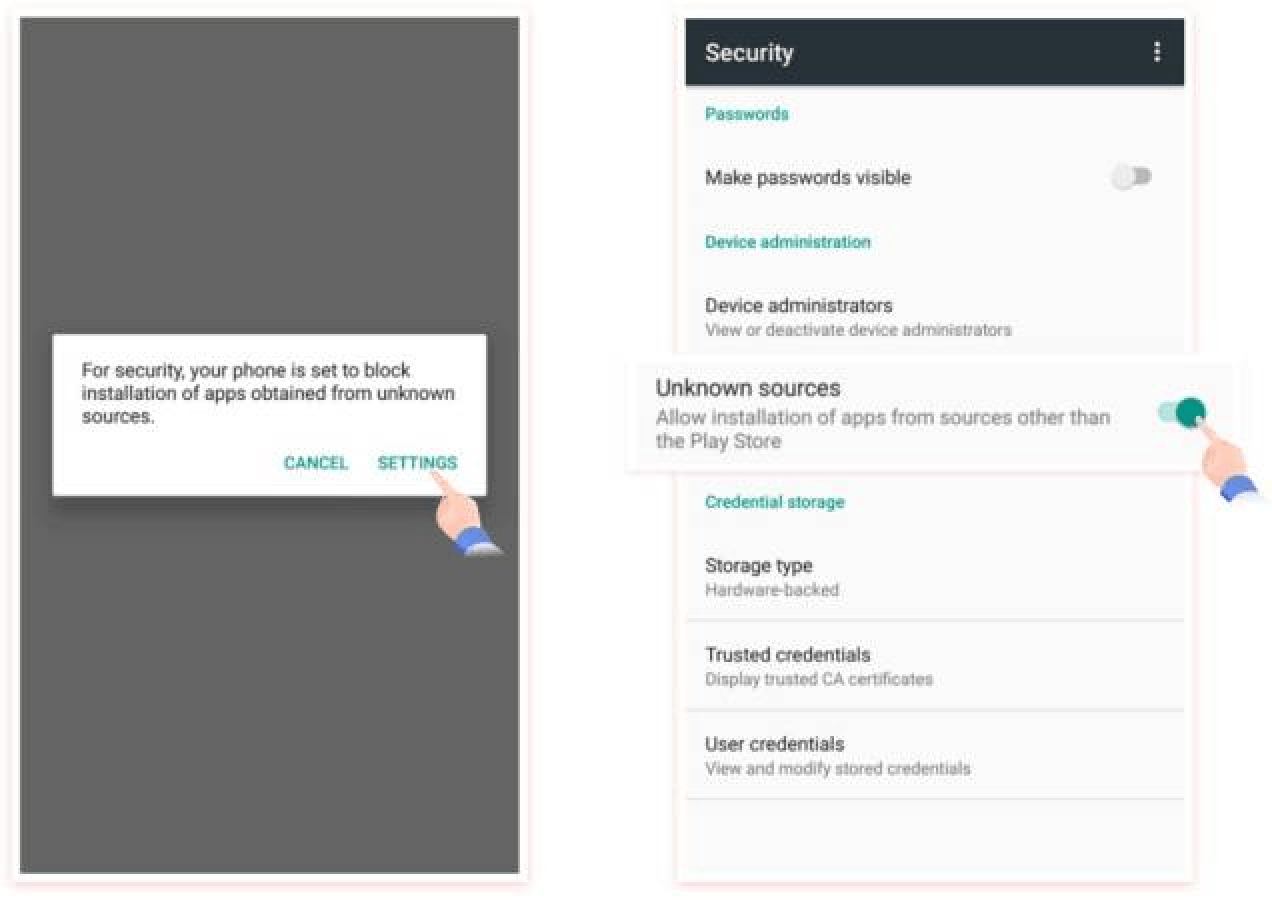
3. Click and open the CastleAPK file. Then start the installation process. If you receive a warning message just in case, go to settings and enable ‘allow installation from unknown resources’.
4.Click on Install and start the process, and wait for the completion of installation.
5.You are all set to open the app and start using it!
How do I update the Castle?
Most of the time, when Castle prompts that there is a new version, you can directly click Update in the update reminder. If the direct update fails. You can download the latest version of the APK from the website: www.castlegowatch.com through the phone system browser and install it. Important reminder: do not delete the old version before installing the new version APK, or you will lose all downloaded movies.
Why Castle isn’t released on the Play Store?
Due to Google’s strict requirements on app content, Castle was not allowed to be published on the Play Store with Google’s permission, but Castle APP is safe, please feel free to install and use it.
Is it safe to use Castle?
The developer team is trying its best to offer its consumers the most reliable and safe experience. But however, this Castle APK is not yet legally available in the Google Play Store or App Store. It is only available in APK format. APKs are safe if they are coming from reliable and secure sources. The team guarantees that the Castle APK from www.castlegowatch.com is safe to use, and the Castle team will never steal user data. So that there’s only a minor risk of using it as they continuously monitor and update it.
Is the Castle App free?
Yes, it’s completely free to use.
Is the Castle App available for PC or iOS or Smart TV?
Castle is now available on Android Devices, including Android phones, Android tablets, and Android TVs. However, Castle does not yet support PC, Window OS, iOS, and any other non-Android OS smart TVs.
Can I download Movies, Web Series and TV Shows for offline viewing?
Yes, you can download videos for offline viewing.